


3 min read
Do You Actually Need a Customer-Facing Display on Your POS?
 Steve Clement
:
Oct 27, 2026, 8:00:01 PM
Steve Clement
:
Oct 27, 2026, 8:00:01 PM
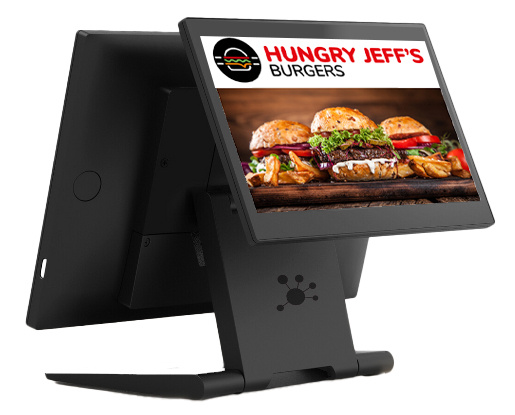
A customer-facing display is one of those bits of hardware that is easy to add and easy to regret. It takes counter space, it costs money, and unlike a kiosk or a kitchen screen there is no single obvious job it does. So the question operators ask is a fair one: is this genuinely useful, or is it a screen for the sake of a screen?
The answer depends almost entirely on how you serve. Here is how to work out which side of the line you sit on.
What a customer-facing display actually does
It sits on the counter facing the customer and mirrors what your team is entering on the EPOS. Items appear as they are rung through. The running total updates as it goes. At the end, the customer sees exactly what they are paying for before they pay.
That is the whole core function. Everything else, upsell prompts, loyalty sign ups and promotional messaging, is built on top of it.
Where a display earns its place
High volume counter service
The busier the counter, the more the display does. When your team is taking an order, calling it back, and handling payment inside sixty seconds, the customer has very little chance to check anything. A screen removes the need to read the order back item by item. The display does the explaining so your team does not have to.
Complex or heavily customised orders
A flat white is easy to get right. An oat milk flat white with an extra shot, a build your own bowl with six modifiers, or a family order of eight items is not. The more modifiers your menu allows, the more value there is in the customer seeing the order build in front of them. Errors get caught before the kitchen sees the ticket, which is the only point at which they are cheap to fix.
Where order disputes are costing you time
This is the one worth putting a number against. If your team resolves five order queries a shift and each takes ninety seconds, that is more than an hour a week per site in staff time alone, before you count remakes, refunds and the queue backing up behind the conversation.
Run that calculation for your own sites. If the number is meaningful, the display pays for itself on accuracy alone and everything else is upside.
Where the counter is a selling opportunity
If you run promotions, meal upgrades or a loyalty scheme, the payment moment is the one point in the visit where the customer is looking directly at a screen with nothing else to do. That is valuable attention and most operators waste it on a total.
Where a display matters less
Being honest about this is more useful than pretending every venue needs one.
- Table service, where the order is taken at the table and the counter moment does not exist in the same way
- Very simple menus, where a customer ordering one item at one price has nothing to verify
- Low volume sites, where your team has time to read an order back properly and disputes are rare
- Delivery led or dark kitchen operations, where the customer is never at the counter at all
If you recognise your operation in that list, a display is not a bad purchase so much as a low priority one. Your budget will do more elsewhere in the hardware range.
The transparency question
There is a broader argument that customers increasingly expect to see what they are being charged before they pay, and that a venue which shows them reads as more trustworthy than one which does not. That is a reasonable position and it matches how contactless payment has changed expectations at the counter, where the customer often taps before they have seen a total at all.
Treat it as a supporting reason rather than the main one. If accuracy and speed do not already justify the hardware, trust alone probably will not.
A short decision checklist
Answer these four honestly. Three or more yes answers and a display is worth the counter space.
- Do you serve at a counter, with the customer present while the order is entered?
- Does your menu allow modifiers, or do orders regularly run past three or four items?
- Do order queries or remakes happen often enough that you could put a weekly number on them?
- Do you run promotions or a loyalty scheme that currently rely on your team remembering to mention them?
If the answer is yes
The main thing to get right is integration. A display that mirrors the EPOS automatically is useful. A display that needs separate configuration, a second login, or manual input from your team is an extra job at the counter and it will quietly stop being used. Redcat’s customer-facing displays run off the same platform and back office as the EPOS, so there is nothing additional for staff to operate.
It is also worth deciding early whether you actually want a counter display or a self-service kiosk. They solve different problems, and some venues need both.